Collars & Safety

5 Best Pet Camera with Treat Dispenser of 2026: Avoid Hidden Subscription Traps

Which pet cameras with treat dispensers actually work without monthly fees? Find clear picks for every budget and WiFi setup.

Most pet cameras with treat dispensers promise free basic features, then push paid AI alerts. The real cost shows up after you set it up. This guide cuts through the marketing to find cameras that deliver remote treat tossing without locking you into recurring fees.

Beyond subscriptions, treat dispensers and WiFi connectivity are where many models stumble. A camera that drops its connection or jams on every other treat becomes more frustrating than helpful. We focused on cameras that balance video quality, pan/tilt, and reliable treat dispensing for the price.

The best pick for you comes down to whether you value proven brand support or want premium specs at a budget price. Both paths are valid — the trick is knowing which trade-offs matter for your home setup and your cat's treat size.

1

Furbo 360° + Mini Bundle

Top Pick

Furbo 360° + Mini Bundle

Multi-room

Our Score 9.2/10
Check Price

Worth Noting

  • A paid subscription is mandatory to activate either camera
  • Ongoing cost of $6.99–$9.99 per month makes total expense higher over two years than premium no-subscription cameras
WiFi Type
2.4GHz only
Subscription
Required – $6.99-$9.99/mo
Treat Capacity
Video Resolution
1080p HD
Read the full review

This bundle pairs a 360° rotating camera with a wide-angle Mini, offering clear 1080p video and responsive pan/tilt across two rooms. The Furbo Nanny subscription unlocks AI features like selfie alerts, video history, and daily doggy diaries – the cameras are non-functional without it. The monthly fee ($6.99–$9.99) adds up over time, making this a better fit for owners who already plan to subscribe and want integrated multi-camera tracking rather than a single no-fee unit.

Factor the subscription cost into your budget from day one – the cameras are bricked without it.

Bottom line: If you already want the Furbo Nanny subscription and need two cameras, this bundle delivers reliable multi-room coverage and smart alerts – but the recurring fee is a hard barrier for budget-conscious buyers.

2

Furbo 360° Basic

Furbo 360° Basic

Premium pick

Our Score 8.8/10
Check Price

Worth Noting

  • Treat dispenser can jam with non-uniform treats
  • WiFi connectivity may drop out, especially on 2.4GHz networks
WiFi Type
2.4GHz only
Subscription
None
Treat Capacity
Video Resolution
1080p HD
Read the full review

Furbo's 360° camera provides clear 1080p video and color night vision, supported by a strong user community for troubleshooting. While the top pick offers higher resolution and dual-band WiFi at a lower price, the Furbo appeals to owners who want a well-known brand and are willing to accept occasional WiFi dropouts. Long-term durability has been noted as a potential issue in some units.

Place the camera close to your 2.4GHz router to minimize WiFi dropouts.

Bottom line: If brand familiarity and a large support community matter more than raw specs, the Furbo is a solid choice, as long as you can live with occasional WiFi hiccups.

3

TKENPRO 2K 360°

TKENPRO 2K 360°

Best overall

Our Score 8.6/10
Check Price

Worth Noting

  • Treat dispenser can jam with larger treats; use small, uniform pieces.
  • Treat capacity is modest; not ideal for large-breed dogs or multiple pets.
WiFi Type
2.4 & 5GHz dual band
Subscription
None
Treat Capacity
0.5L
Video Resolution
2K Ultra HD
Read the full review

The TKENPRO delivers sharp 2K video and a full 360° view with pan/tilt control, putting it ahead of many budget pet cameras. The treat dispenser tosses small treats on command, and auto tracking follows movement reliably for interactive play.

WiFi connectivity can be inconsistent on 5GHz networks, so keeping the camera on a 2.4GHz network provides a more stable connection. Owners planning to use larger treats should stick to uniform, small pieces to avoid jams.

This camera suits budget-conscious owners who want premium video quality and pan/tilt without a subscription. It’s less ideal if you need a large treat capacity for big dogs or rely on extensive customer support from an established brand.

Bottom line: This camera packs 2K video and 360° tracking at a price that undercuts the competition — a smart buy for the budget-minded.

4

Petcube Bites 2 Lite

Petcube Bites 2 Lite

Large treat

Our Score 8.0/10
Check Price

Worth Noting

  • Treat dispenser can jam or stop working over time.
WiFi Type
Subscription
None
Treat Capacity
1.5 lbs
Video Resolution
1080p HD
Read the full review

The large treat bin is a standout feature for homes with multiple animals or those who dislike refilling often. However, the fixed lens limits viewing angles, and the dispenser can jam or stop working; connectivity drops and poor sound quality may also occur. This camera suits buyers who value treat capacity over pan/tilt and are okay with occasional mechanical hiccups.

Bottom line: A good option if you prioritize treat capacity over camera movement and are willing to accept potential dispenser and connectivity quirks.

5

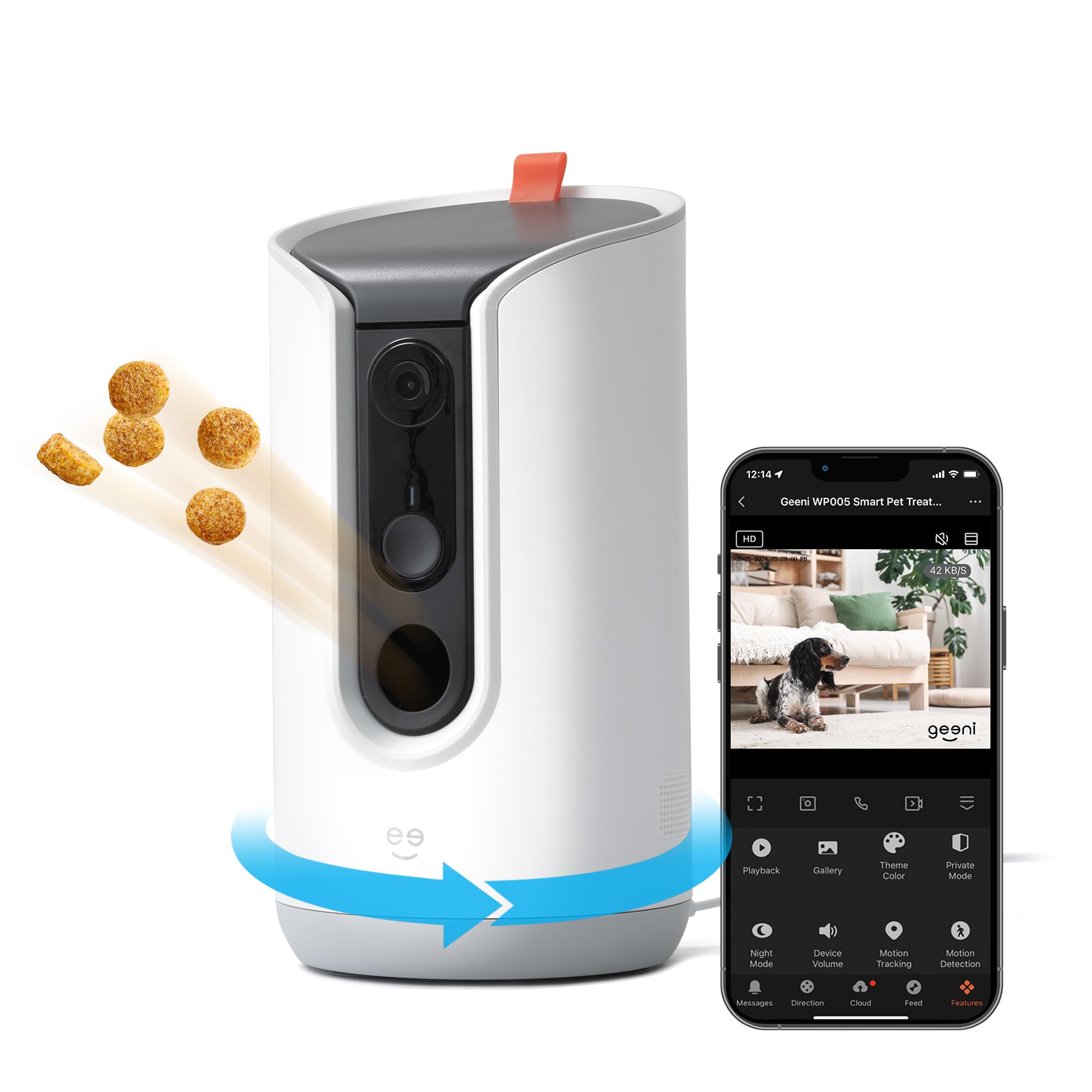
Geeni 2K Treat Dispenser

Geeni 2K Treat Dispenser

Budget auto

Our Score 8.0/10
Check Price

Worth Noting

  • No SD card slot for local recording
WiFi Type
Subscription
None
Treat Capacity
0.5L
Video Resolution
2K HD
Read the full review

This budget-friendly camera delivers clear 2K video and motion tracking for remote treat tossing. However, the treat dispenser can jam with anything but small treats, and WiFi dropouts may interrupt streaming – making it better suited for occasional check-ins rather than daily use.

Bottom line: This camera fits if you only need occasional pet monitoring and treat tossing, and you are willing to use small treats and accept streaming-only recording.

How to Choose

Video Resolution

Higher resolution (2K vs 1080p) lets you zoom in on your cat without losing detail. The trade-off is that 2K streams require more bandwidth — if your WiFi is already spotty, you may see buffering or lower frame rates. For most homes, 1080p is sufficient for checking in and tossing treats. 2K is worth it only if you want to see whisker movements or read small text on a collar tag.

Color night vision is a bonus: it uses a white LED instead of infrared, giving a natural image in darkness. Some cats find the light startling, so consider placement if your cat sleeps near the camera.

Treat Capacity

Capacity ranges from 0.5L (about 100 small treats) to 1.5 lbs (enough for multiple cats or a day of skipping refills). Larger bins mean fewer refills, but they also give treats more time to get stale or clump together in humid climates. The real issue is the mechanism: most dispensers use a rotating paddle that works best with dry, uniform kibble under 1 cm. Larger or irregular treats cause jams.

If you plan to use the dispenser daily for training, a smaller bin you refill often is less likely to jam than a large one that sits half-empty. Models with a clear window let you see the treat level without opening the lid.

Pan/Tilt & Tracking

Motorized pan and tilt let you follow your cat around the room. Some cameras offer auto-tracking that locks onto motion — helpful if your cat tends to move away from the treat zone. The hidden cost is mechanical wear: pan/tilt motors are a common failure point after a few months of constant use. A fixed wide-angle lens (110°) covers most of a small room without moving parts and is inherently more durable.

If you only need to see the area near the treat dispenser, a fixed camera is simpler and cheaper. For full-room coverage, choose a model with metal gears (rare at this price) or accept that the motor may degrade over a year.

WiFi Connectivity

Most pet cameras only support 2.4GHz WiFi, which has better range and wall penetration than 5GHz but is more prone to interference from neighbors. Dual-band cameras offer flexibility, but several budget models advertise 5GHz support that doesn't work reliably in practice. The common thread: connectivity drops are the most frequent complaint across all price tiers.

Before buying, check your router's signal strength at the camera's intended location. If you have a mesh network or a dedicated 2.4GHz band, you'll have fewer problems. Avoid placing the camera near large metal objects or behind thick concrete walls.

Subscription Requirements

Some cameras require a monthly subscription just to activate the hardware — a trap that makes a $50 camera cost $170+ over a year. Others offer free basic features (live view, treat toss, motion alerts) and charge only for cloud storage or AI alerts like person detection or pet selfies. The 'no subscription' claim often applies only to the most basic functions.

Total cost of ownership over 24 months is the number to watch: a $180 camera with no fees can be cheaper than a $60 camera with a $10/month plan. If you don't need video history or smart alerts, a subscription-free model is the better long-term bet.

Frequently Asked Questions